
Features
Automate options trading. Equities and ETFs included.
OptionsApp executes your rulebook: from automatic order execution and protective orders to daily analysis. Rule-based, reproducible, disciplined. Options are our core. Equities and ETFs come on the same platform.
Automated for:
Read more: automated options trading · 0DTE options
Why OptionsApp
Why automate trading with OptionsApp?
OptionsApp is specialized software for automated, rule-based market trading. Options are and remain our core. Equities and ETFs are traded on the same platform. Manual order entry is eliminated; monitoring your positions remains your responsibility. Trading becomes precise, reproducible, and disciplined according to the defined rulebook.
Start Free Trial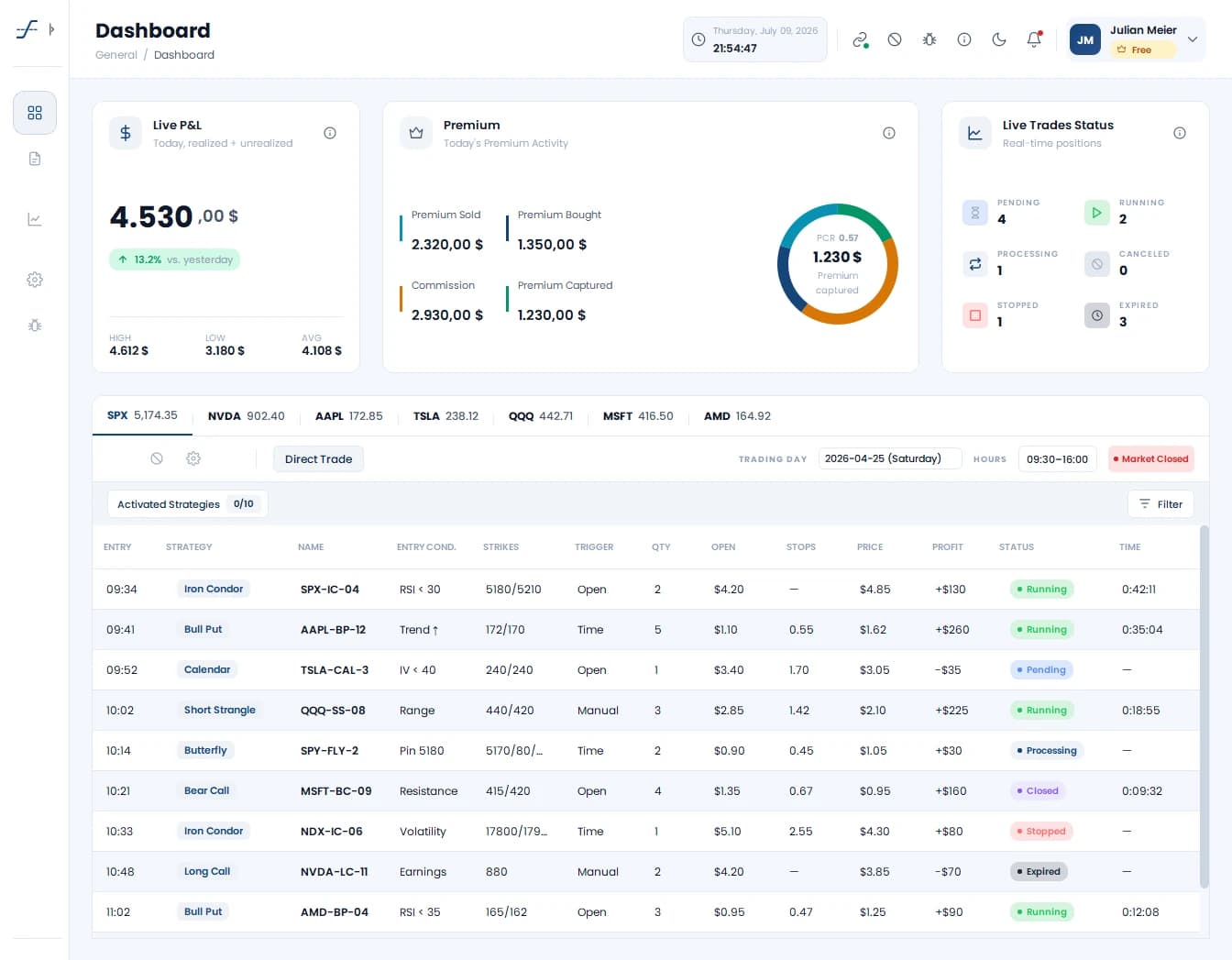
- Official Interactive Brokers (IBKR) Partner: Direct real-time communication via the TWS API
- Multi-asset: Options, equities and ETFs on one platform
- Sectigo-certified software: Verified signature and application integrity
- Unlimited expirations (DTE): From 0DTE to well over 365DTE
- Rule-based trading: Entries and exits follow your rulebook, not gut feeling
- Multiple strategies in parallel: independence from single approaches, combinations across asset classes possible
- Comprehensive risk management: delta exit, stop-loss, adjustable stops, ITM protection
- Documentation and support available in German and English
Strategy
Strategy Creation
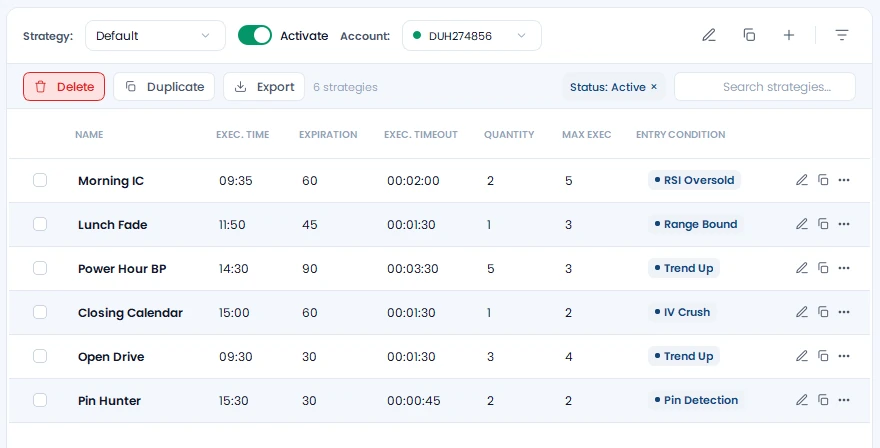
Strategies are created in trade templates. These allow any number of legs that can be configured independently or dependently. For options you define fixed offsets or search criteria such as premium, delta or percentage distance to the ATM option per leg. For equities and ETFs you set quantity, trading days and entry time in a table of their own, with a stop loss and profit target per row.
- Simple and complex options strategies: Iron Condors, Verticals, Butterflies, Calendars, Ratios
- Equities and ETFs: rule-based entries and exits by your system
- Any number of legs per template
- Fixed offsets or dynamic search criteria (premium, delta, % ATM)
- Multiple strategies in parallel: independence from single approaches
Underlyings
Dynamic Underlying Search and Multi-Currency
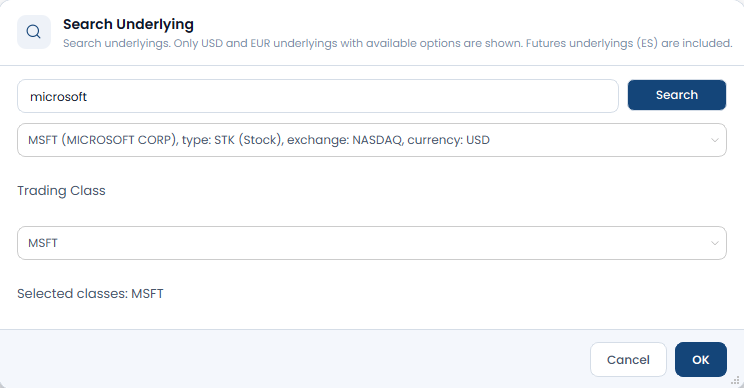
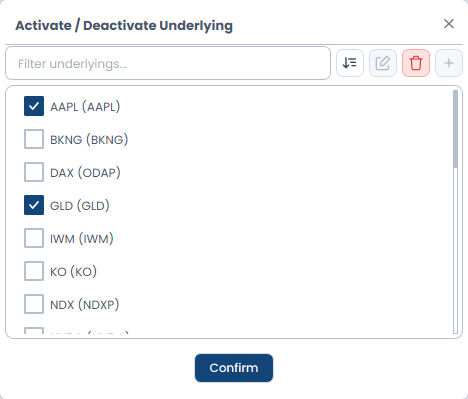
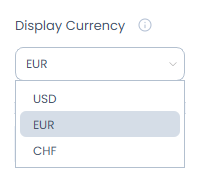
Instead of a fixed list, OptionsApp offers a dynamic underlying search. You freely choose from the underlying pool which instrument to write options on, or which stock or ETF to trade directly. Stocks, ETFs and indices can be added with a configurable trading class. Account currency is available in USD, CHF and EUR, converted at the ECB exchange rate.
- Dynamic search: add stocks, ETFs and indices with a configurable trading class, not limited to a fixed list
- Index underlyings: SPX, SPXW, NDX (NDXP), RUT, XSP
- ETF underlyings: SPY, QQQ, IWM, GLD, SLV plus sector ETFs (XLC, XLE, XLF, XLI, XLK, XLV)
- Single stocks as underlyings: NVDA, AAPL, TSLA and more
- Options on futures (ES) plus direct trading of equities and ETFs
- Multi-currency: account in USD, CHF and EUR, converted at the ECB exchange rate
- Single-position P&L stays visible in the instrument's native currency
Execution
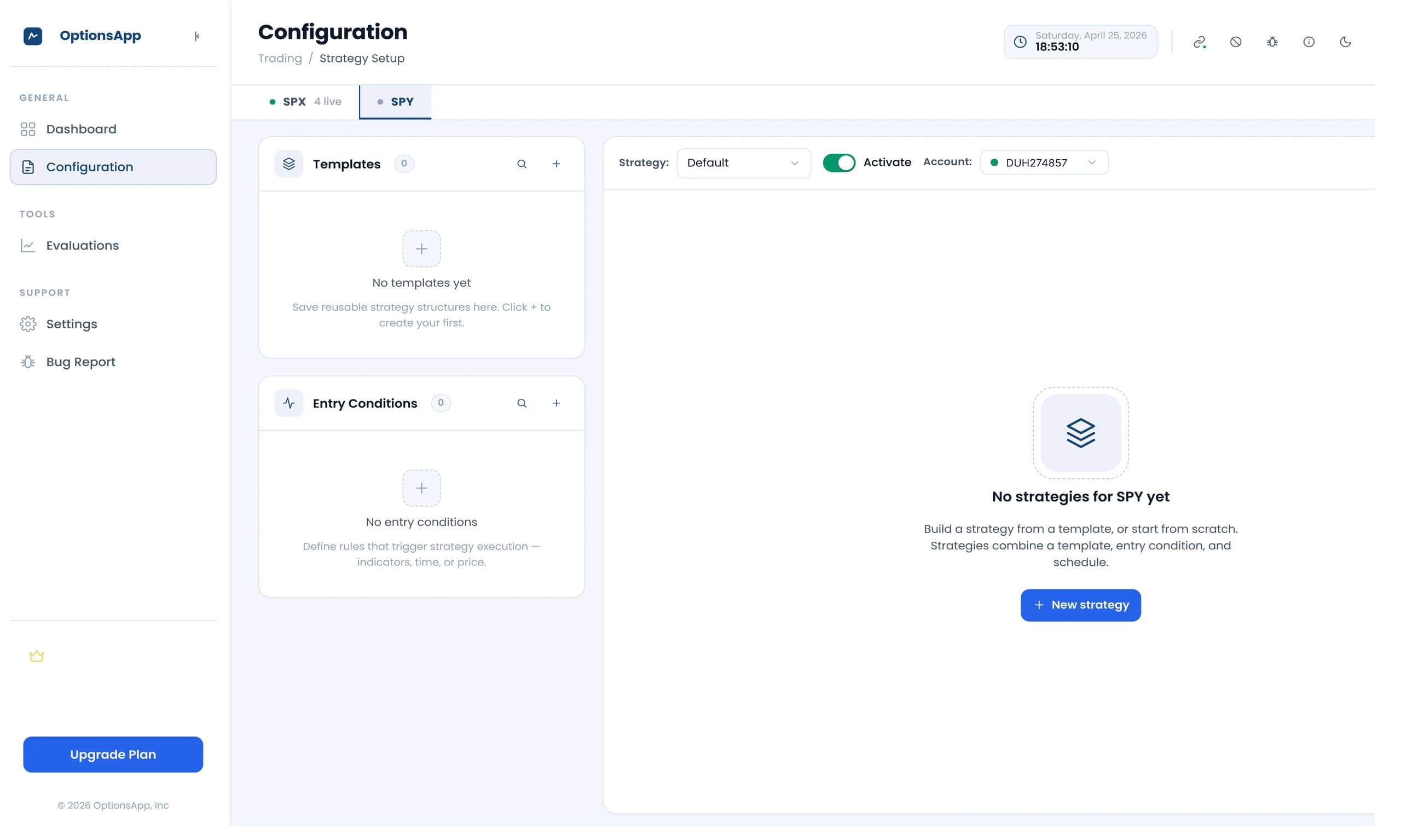
Execution Settings
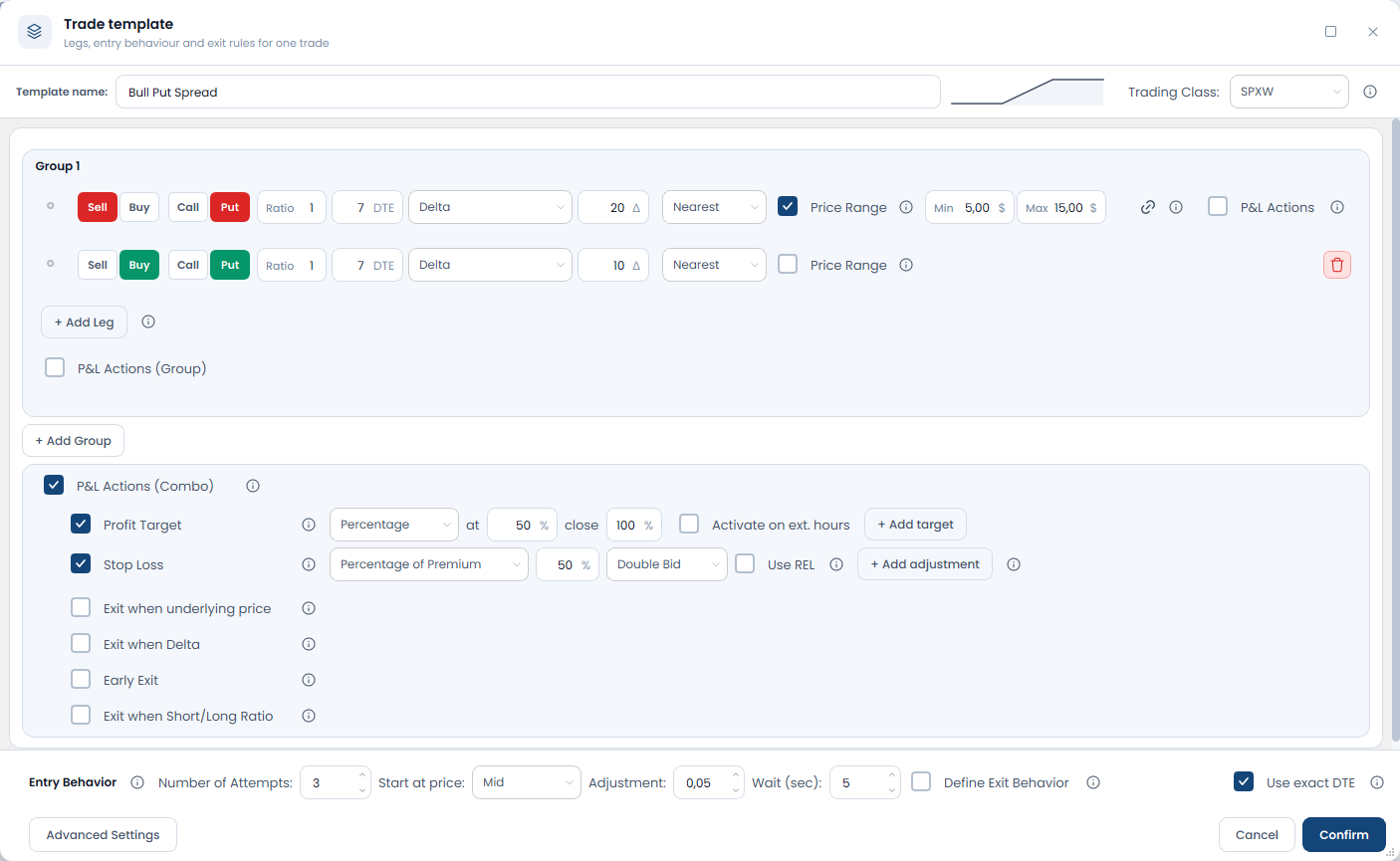
Execution settings control how orders (entry and exit) are placed. Start prices, price adjustments, retries, and timing can be individually configured.
- Start prices: Bid, Mid, or Ask
- Individual price adjustments and retries
- Freely configurable timing sequences
- Separate settings for entry and exit
Try every feature free for 14 days
Full feature set. No credit card. Trial without auto-subscription.
Rules
Entry & Exit Conditions
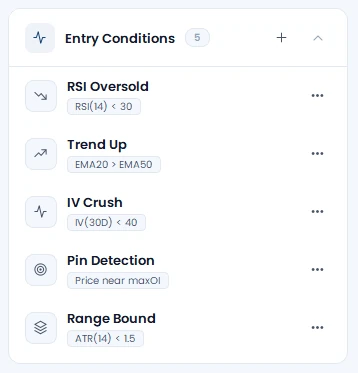
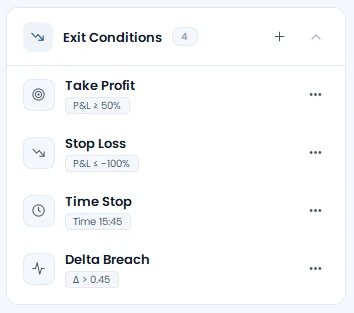
Entry and exit conditions are the heart of rule-based trading. They determine when a strategy is opened or closed, based on technical, price-based, or time-dependent conditions.
- Technical indicators: SMA, EMA, RSI, MACD, ADX, DMI
- Market logic: VIX threshold, Intraday Movement, Movement Since Opening, Expected Move
- Dynamic rules: delta-based entries and exits, Short/Long Ratio
- Webhook triggers (e.g. from TradingView) for external signals
- Filters (point-in-time check) and triggers (time-window watch) can be logically combined
Risk
P&L Actions & Risk Management
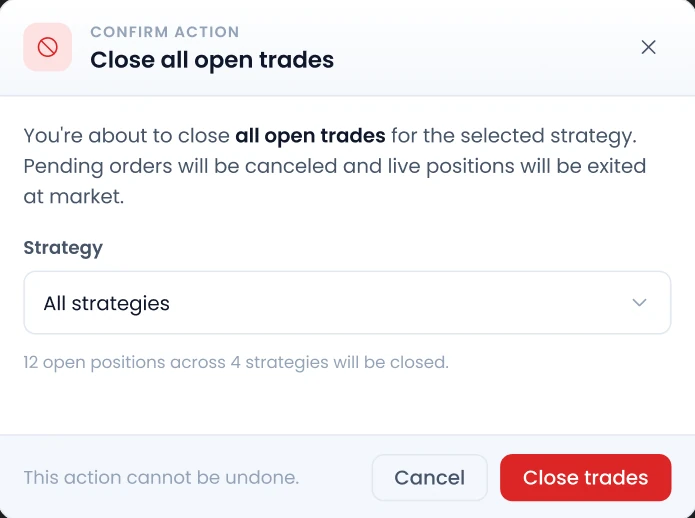
Your risk rules are executed automatically through P&L actions. All common and advanced exit mechanisms can be individually configured per leg or for the entire strategy. The goal: limit losses by fixed rules instead of reacting on gut feeling.
- Stop Loss: Percentage or absolute, with adjustable trailing stop
- Profit Target: Staged profit targets (e.g., 30% and 50% separately)
- Early Exit: Automatic closing before expiration (remaining time or clock time)
- Delta Exit & Movement Exit: Dynamic response to market changes
- ITM Protection: Protection against uncovered short legs
- Re-Entry: Automatic reopening after stop, profit target, or expiration
- Consistent execution of your rules on every trading day
Evaluation
Analysis & Evaluation
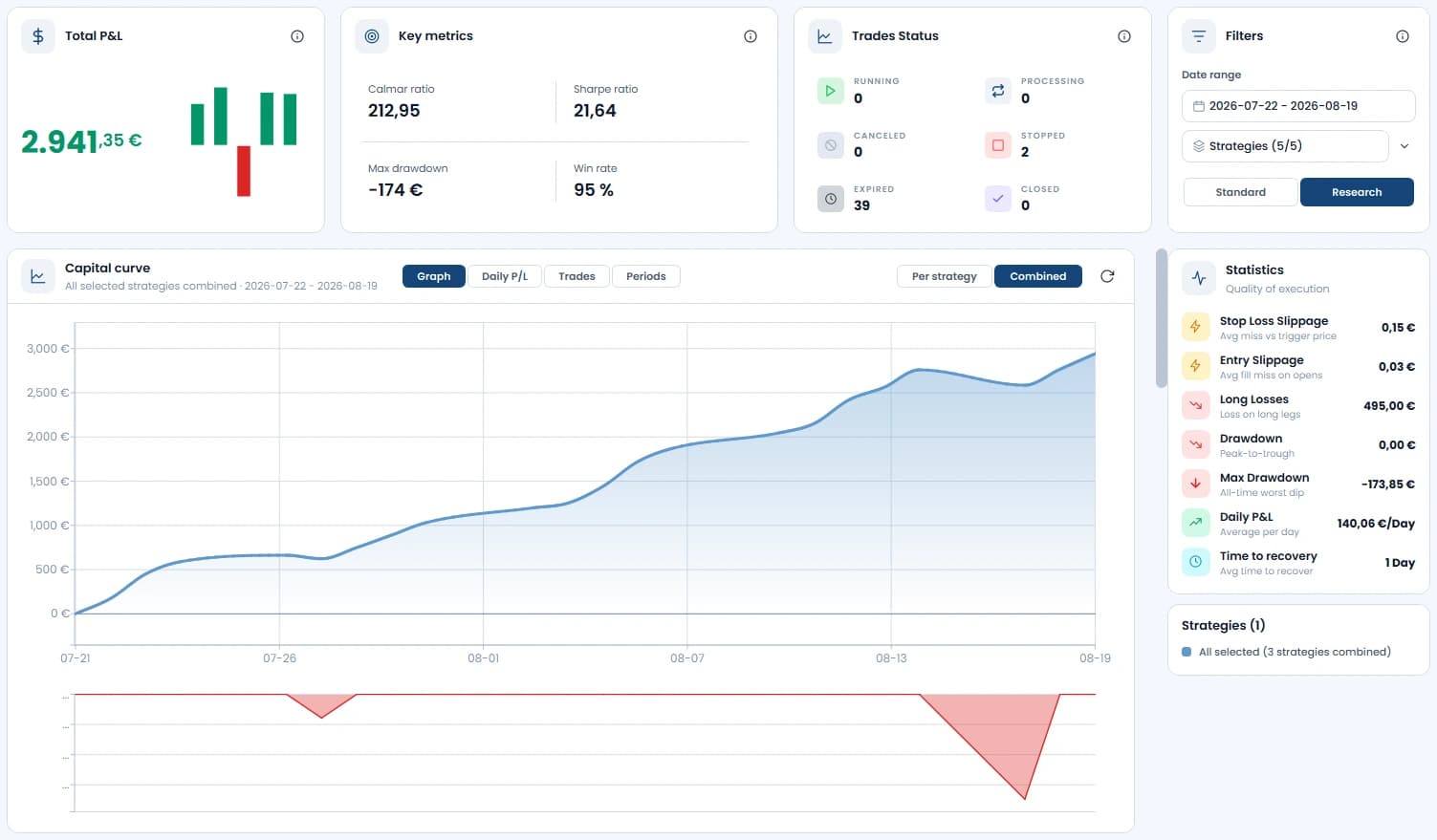
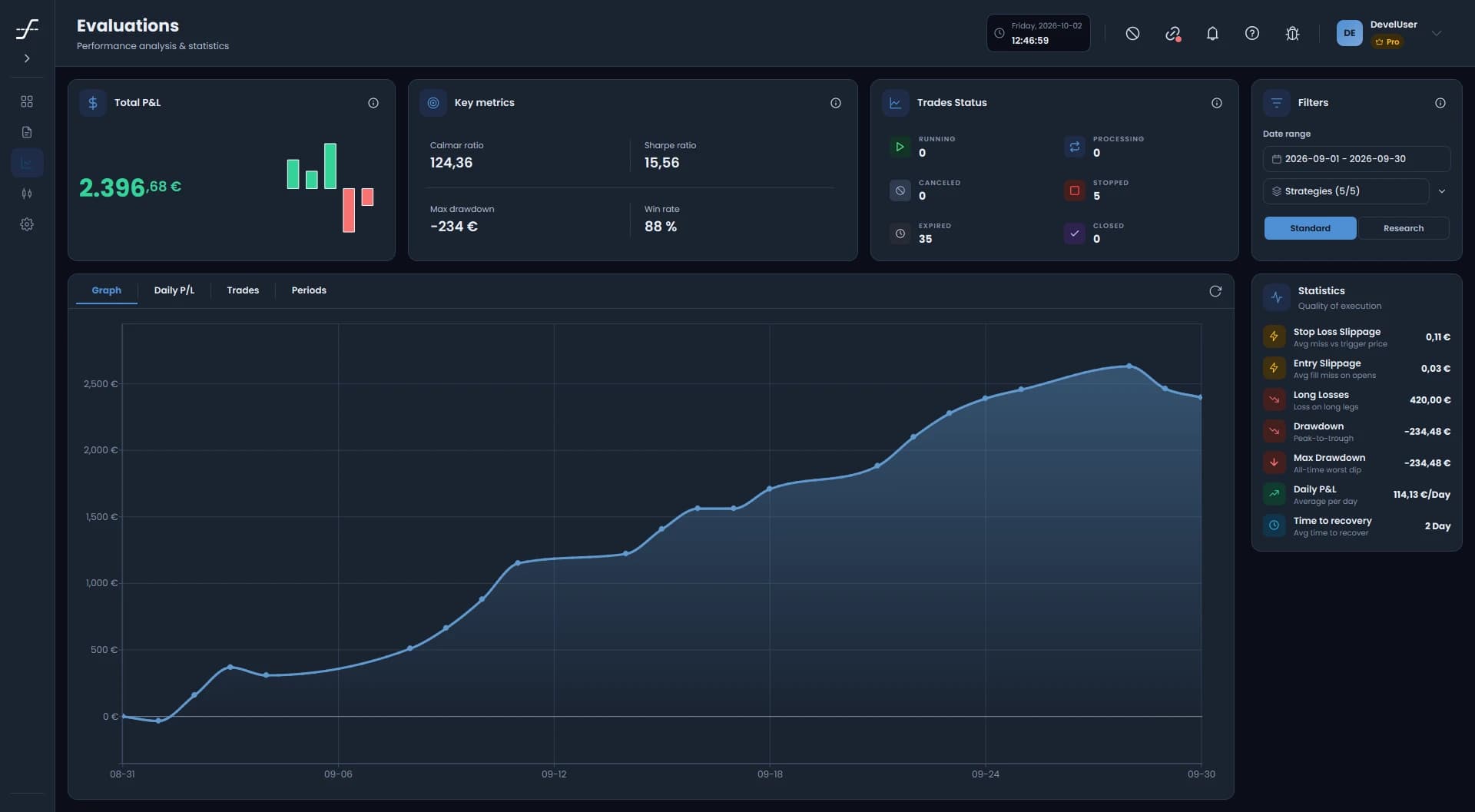
The integrated evaluation interface provides a complete overview of all strategies. The Daily P/L section shows profits and losses per day, supplemented by comparisons and combination analyses. This way you identify data-driven which strategies work long-term and which don't.
- Metrics: Daily P&L, Drawdown, Time To Recover, Premium Sold, and more
- Strategy comparison across different time periods and market phases
- Combination analysis of multiple strategies for robust portfolios
- Manual corrections and adjustments as needed
- Export functions for custom evaluations
Ready to let your rulebook run itself?
Try OptionsApp free for 14 days. No credit card, no automatic subscription after the trial.
Stability
Stability & Operations
OptionsApp is designed for continuous operation. It can be deployed on a local computer or a Windows server; availability depends on the app running and its connection to the TWS.
- Auto-Reconnect: Automatic reconnection to TWS
- Server-capable: Suitable for Strato, IONOS, or custom servers
- Pre- and post-market: Optional extended trading hours
- Official IBKR partnership: Permanent API compatibility
- Regular updates and improvements
Broker
Broker Connection: Interactive Brokers
OptionsApp works directly with Interactive Brokers and uses the powerful TWS API to execute options strategies automatically. The official license agreement provides a seamless and stable real-time interface.
- Direct API connection via TWS or IB Gateway
- Automated order execution in real-time
- Live market data for dynamic order adjustment
- Direct connection over the official Interactive Brokers interface

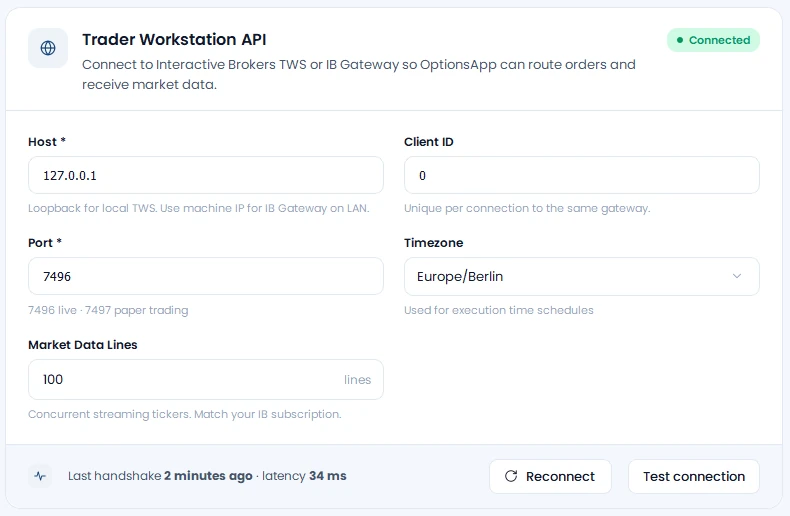
 Trader Workstation
Appearance
Dark mode and light mode
OptionsApp comes with a light and a dark interface. One click on the theme switch changes the entire surface: dashboard, configuration and evaluations.
Light for the day at your desk, dark for long evaluation sessions and late US trading hours. Your eyes decide.
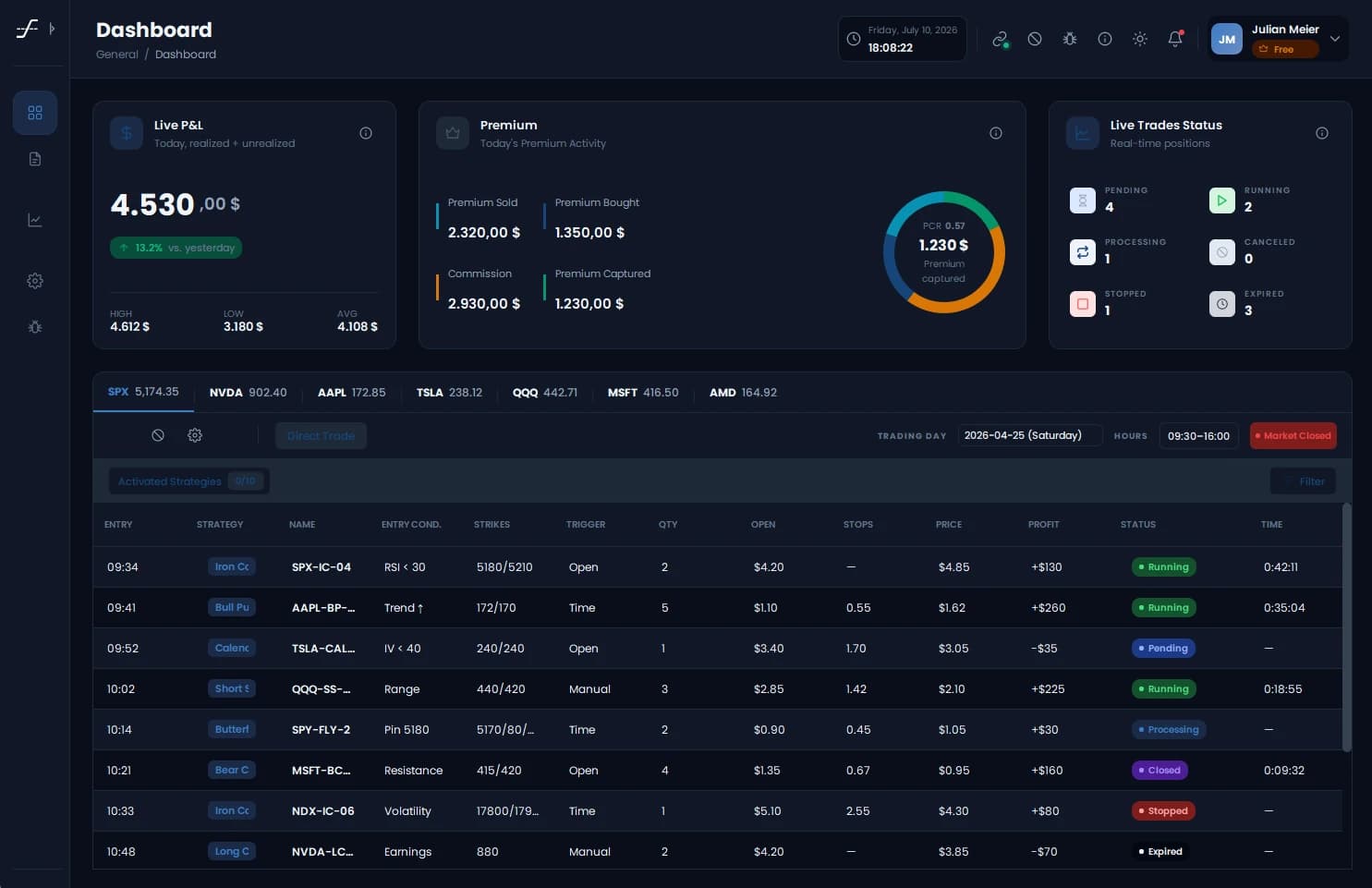
See both modes live
The trial includes the full feature set: 14 days free, no credit card.
Unique
What Makes OptionsApp Unique
Official Interactive Brokers Partner
Sectigo-certified application
Multi-asset: Options, equities and ETFs
Unlimited expirations (DTE)
Advanced entry and exit logic
Comprehensive risk management
Multiple strategies in parallel
Strategy-level evaluations
Support via email, Discord, and phone
Dive deeper
Related Topics
Ready to automate your trading?
Get started with OptionsApp. 14 days free, no credit card required. Automate options, equities and ETFs on one platform.